

Pyak
Businesses field the same questions at scale: account inquiries, appointment changes, order status, support requests. Pyak is where you build the AI agents that handle them, as visual flows deployed as API endpoints.
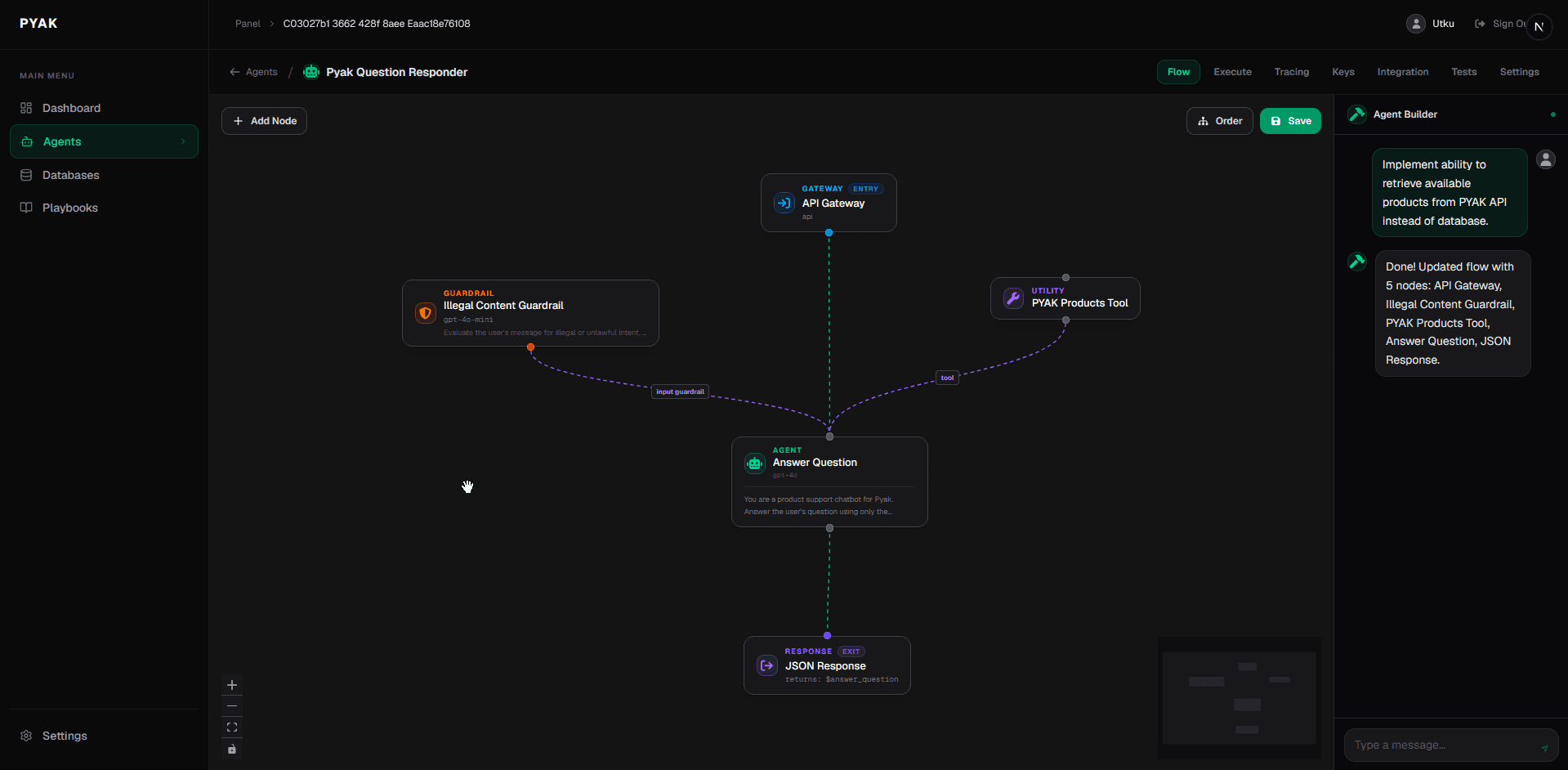
Build agents as connected flows
The center of the product is a visual flow editor. You map out conversation logic as a connected diagram: what the agent does at each node, how it branches on different inputs, when it fetches data, when it hands off to a person. Node types are explicit: gateway, guardrail, agent, utility, response. The Agent Builder panel assists with configuration and instruction tuning as you work.
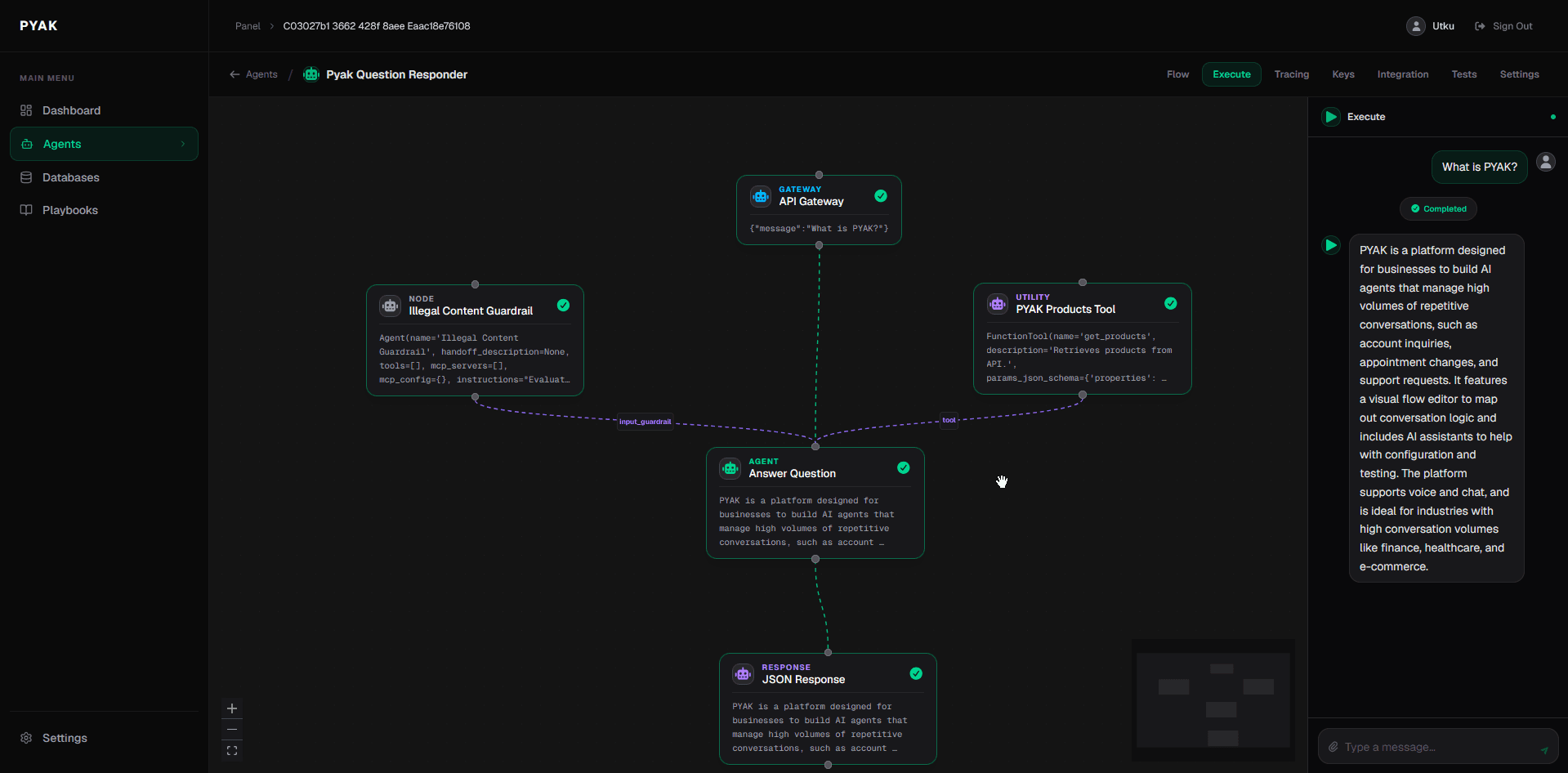
Run your agent before it ships
The Execute view lets you send messages to your agent in real time while still in the editor. The right panel shows the agent's full context (instructions, tools, and configuration) so you can confirm behavior before deployment.
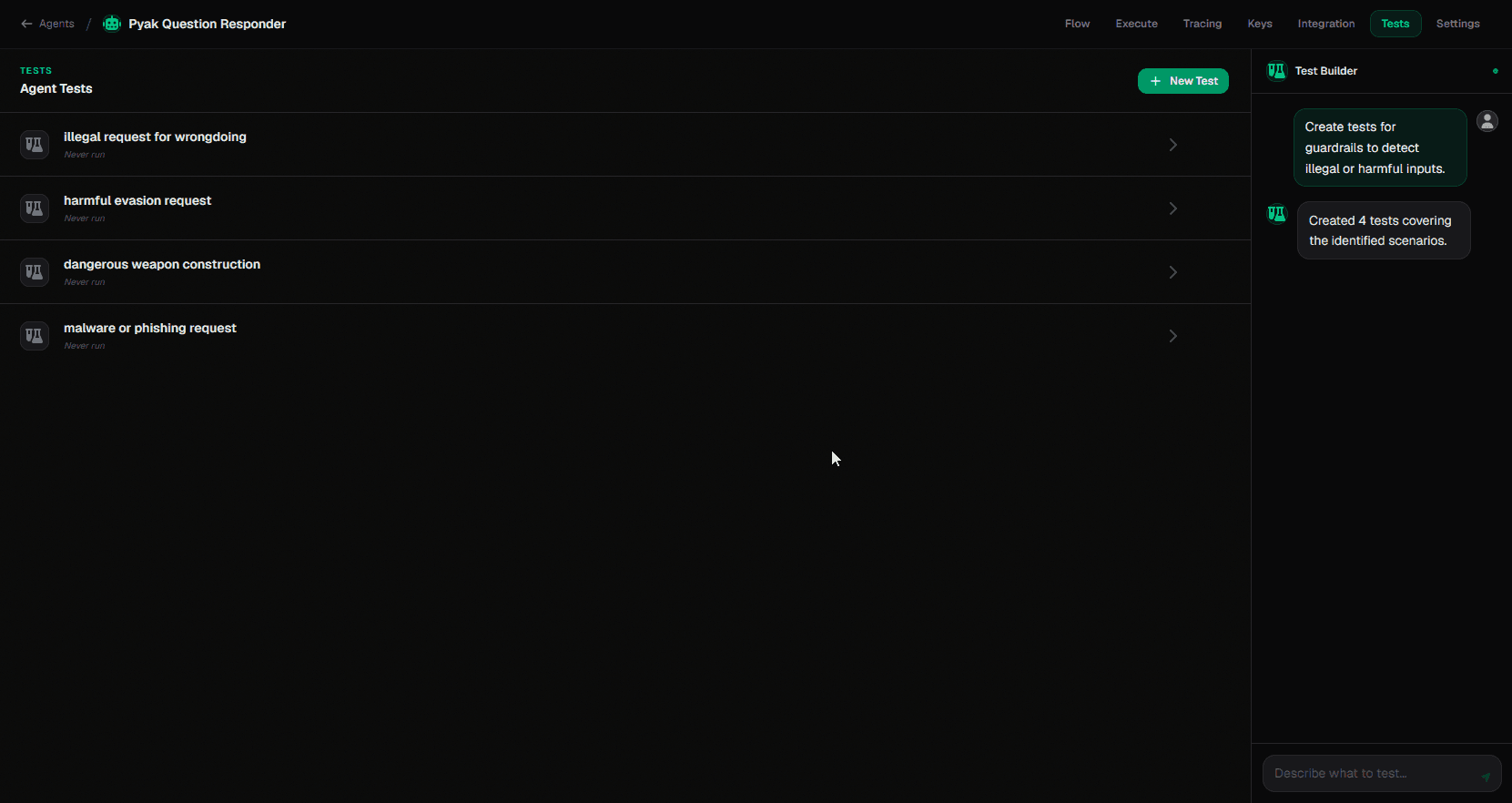
Automated test suites
The test builder generates test scenarios directly from your flow: edge cases, adversarial inputs, boundary conditions. It runs them automatically after each change. Problems surface before they reach users. Each test case is visible and editable; you can accept generated ones or write your own.
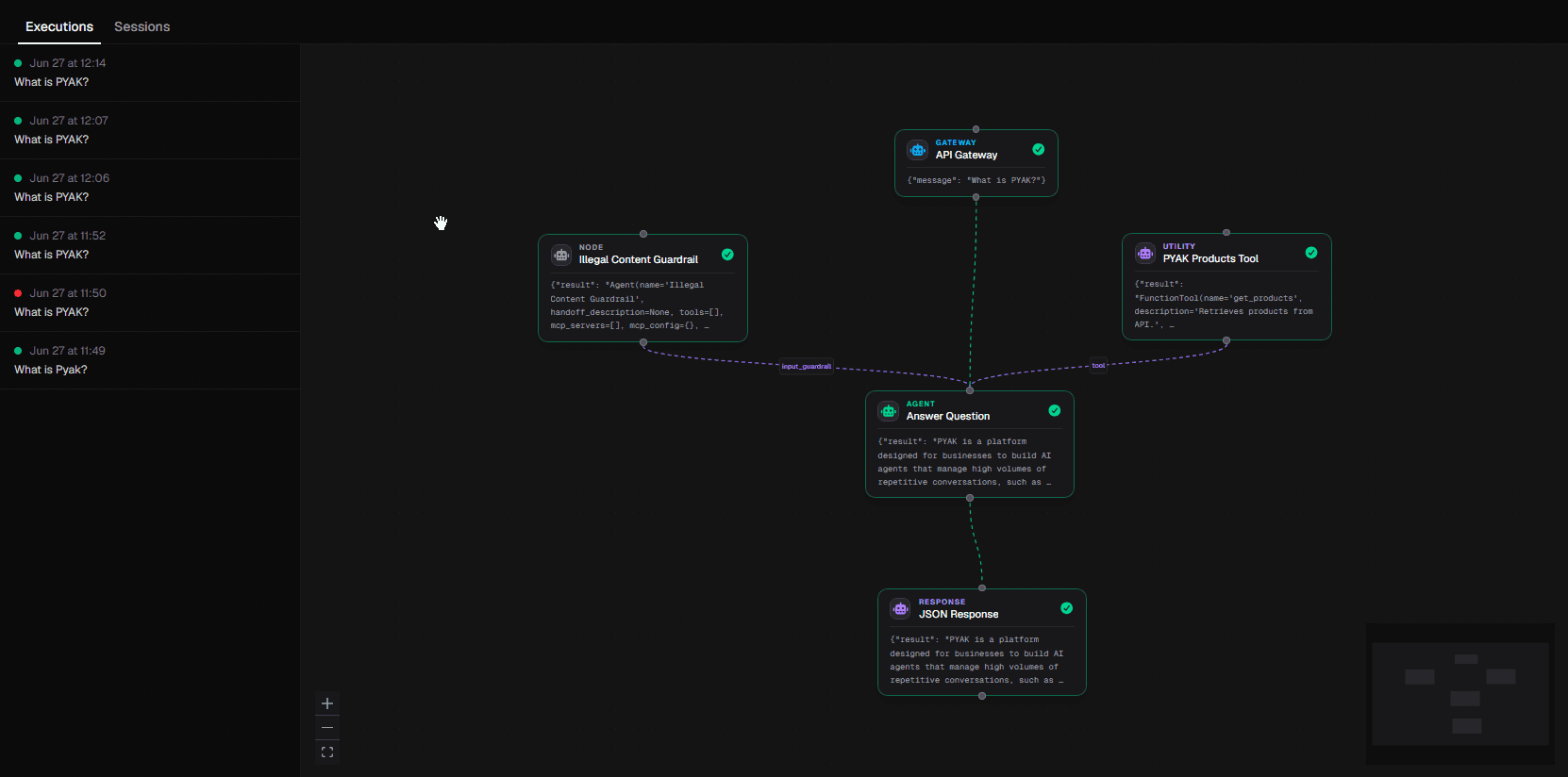
Full execution traces
Every conversation produces a trace: the path it took through the flow, what the agent received at each node, and what it returned. Traces are stored per session and per execution run, so debugging a specific interaction means opening the relevant run and reading the actual data at each step.
Deploy as an API endpoint
Each deployed flow is an API endpoint with its own key. Call it from a CRM, a mobile app, an internal tool, or any service that can make HTTP requests. Voice flows use direct SIP trunking and share the same node types as chat flows; only the entry point differs. Calls support 45 languages.

Data your agents can read
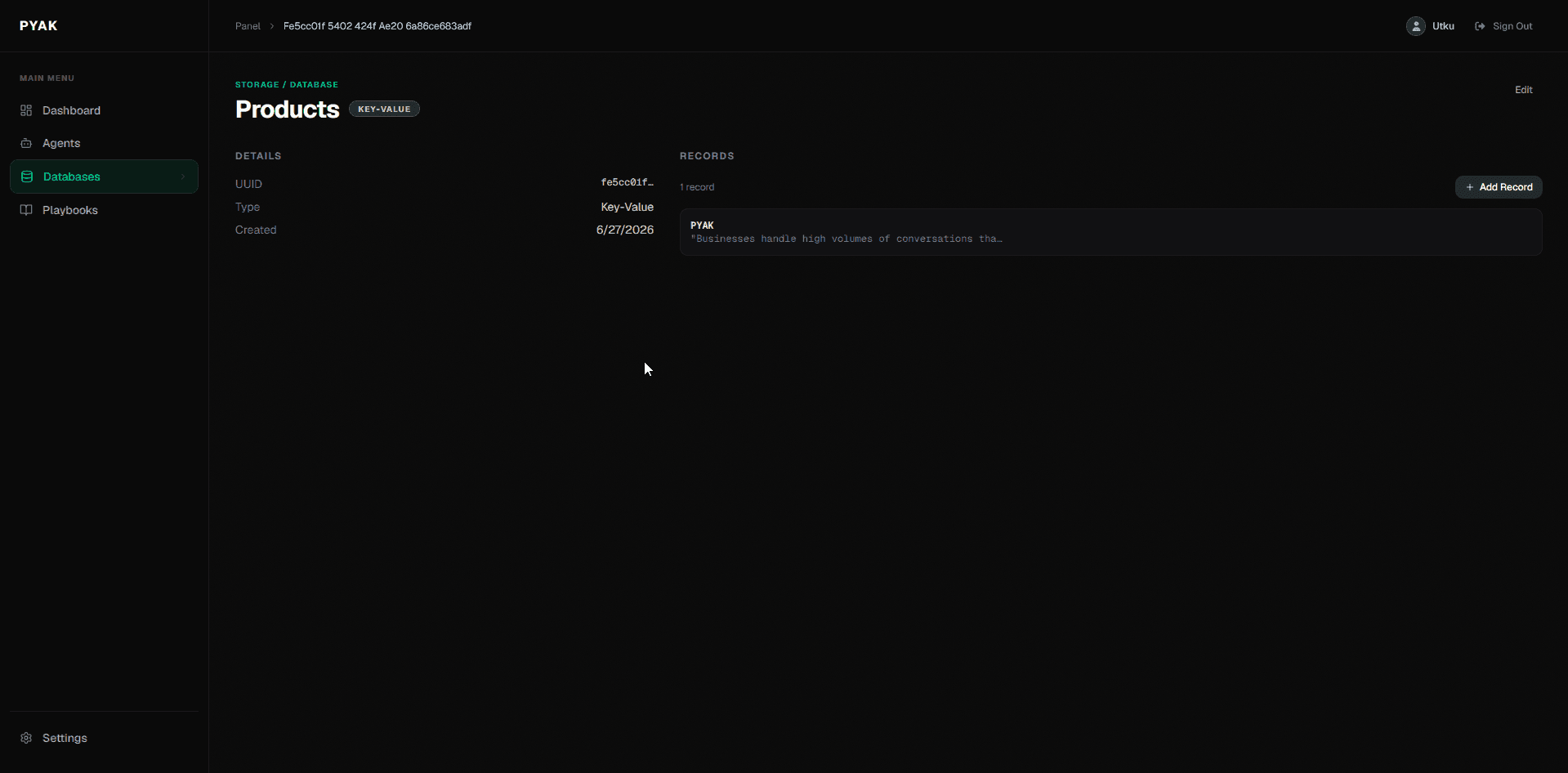
Databases in Pyak hold structured data (products, accounts, policies, schedules) that agents query at runtime through utility nodes. Records are typed and managed inside the platform, so the data an agent reads stays consistent with what your operations team maintains.
45
Languages supported
99.99%
Uptime SLA
SOC 2
Type II, encryption in transit and at rest
Deployed in finance, healthcare, e-commerce, legal, and logistics. Enterprise tier available for organizations with strict data residency requirements.